

When you spend hours planning, recording, and editing a comprehensive long-form video, stopping at a single publish button leaves massive potential on the table. For solo creators, the real leverage comes from learning how to convert a full-length video into bite-sized short clips that can feed vertical feeds for weeks. However, mindlessly slicing footage down the middle often results in confusing fragments that fail to capture an audience. This guide outlines a repeatable, practical workflow to identify standalone moments, extract them efficiently, and format them for maximum engagement without sacrificing original context.
By treating your primary video archive as a modular library rather than a one-off asset, you can build a consistent publishing schedule while drastically cutting down filming hours. Let's walk through the end-to-end process of finding, cutting, and publishing these high-value micro assets systematically.
Many creators view content creation as a linear race: ideate, script, shoot, edit, publish, and repeat. This treadmill can quickly lead to burnout, especially when a meticulously crafted 30-minute video receives a modest initial spike and then plateaus. Transforming that same video into a multi-part series of short clips changes the economics of your production labor. Instead of letting your hard work sit idle in an archive folder, you are actively recycling the strongest value propositions and presenting them to entirely new segments of viewers who prefer fast-paced, vertical content.
Auditing Your Long-Form Source Material for Standalone Value
The biggest mistake creators make when beginning this process is attempting to slice a video into chronological chunks. A long video is rarely uniform in value; it usually contains one or two deep teaching moments, an entertaining tangent, a counterintuitive realization, and several conversational transitions. To execute a practical workflow for turning long videos into shorts, you must review your source file with a focus on self-contained ideas. This initial audit phase determines whether your downstream editing efforts will yield high-retention vertical videos or confusing snippets.
Start by pulling up the transcript of your master video rather than scrubbing through the timeline blindly. Reading text allows your brain to scan for complete thought structures much faster than watching the video at regular speed. Look for paragraphs that feature a clear setup, an actionable insight, and a satisfying conclusion within a 30 to 60-second window. When scanning your transcript, search for emotional peaks, declarative statements, answers to common audience questions, or abrupt shifts in energy where you debunk a common myth.
As you identify these sections, mark them in your editing software or note-taking app using precise timecodes. Each chosen segment should answer a specific question or resolve a single micro-curiosity. If a snippet requires the viewer to have watched the preceding ten minutes to understand the core premise, it is not a strong candidate for a standalone short clip unless you introduce a bridge. Building an intuitive index of your source material transforms a chaotic archive into a reliable content engine that keeps your production pipeline full.
Furthermore, consider categorizing your extracted segments by tone and utility. Some segments may be educational, focusing on a how-to step, while others might be purely entertaining, humorous, or thought-provoking. Having a balanced mix of emotional tones allows you to curate a well-rounded publishing calendar rather than posting five technical clips in a row. Take the time during this audit stage to write down potential hooks or alternative headlines for each excerpt, ensuring you have clear creative direction before you touch a timeline track.
Another critical element of the auditing process is evaluating visual compatibility. A great verbal point might be accompanied by a wide camera angle of you sitting still, which translates poorly to a vertical frame. Conversely, if your master video features screen shares, dynamic hand gestures, or product demonstrations, those moments make exceptional visual assets for short-form platforms. Assessing both audio and visual components simultaneously prevents you from wasting time on clips that sound smart on paper but look flat on screen.
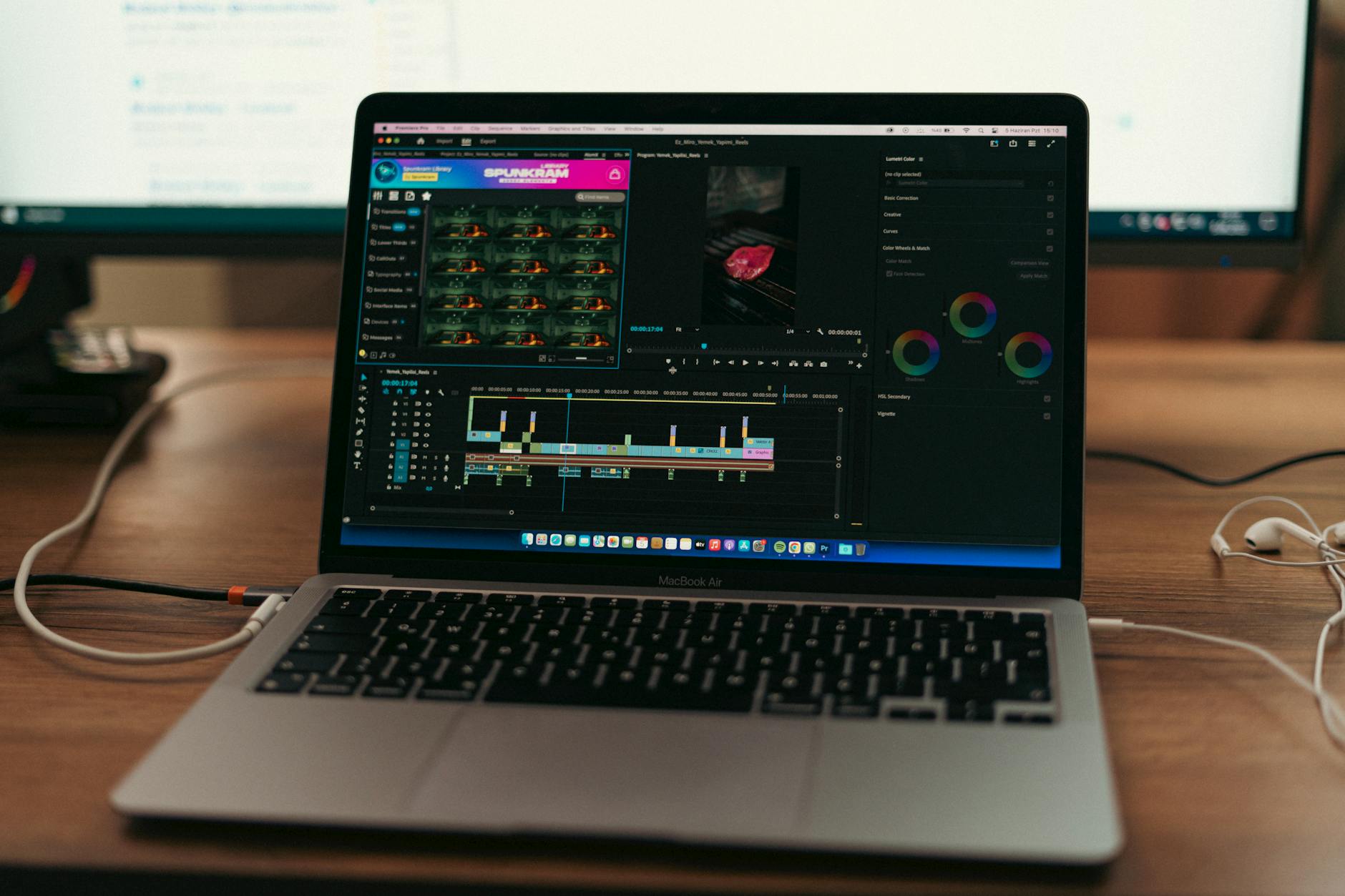
A Step-by-Step System to Slice and Format Your Clips
Once you have isolated three to five promising segments from your master file, it is time to move into production. Having a structured sequence prevents you from getting bogged down in endless micro-edits and audio tweaks, ensuring your workflow remains efficient and sustainable over the long term.
- Isolate and Export the Raw Segment: Cut the designated timestamps from your master timeline and export them as independent project files. This keeps your timeline clean, reduces software lag, and prevents accidental changes to your main video file.
- Reframe for Vertical Dimensions: If your master video is horizontal, reposition the framing to center the active speaker or key visual action. Ensure important elements stay within safe zones where platform user interfaces, captions, and like buttons will not block them.
- Craft a Contextual Hook: The first three seconds must bridge the gap for new viewers who missed the original video. Add a brief text overlay or a quick verbal re-introduction that frames the problem being solved in the clip.
- Tighten the Pacing: Remove dead air, stuttered phrases, and long pauses between sentences. Short-form viewers expect rapid momentum, but avoid cutting so aggressively that the speech sounds unnatural or rushed.
- Incorporate Clear Captions: Burn in clean, legible subtitles for viewers watching on mute. Review these generated captions manually to fix domain-specific terminology or brand names that automated software often misinterprets.
- Add Dynamic Visual Accents: Introduce subtle zoom-ins, punch-ins, or simple graphic callouts during key sentences to maintain visual interest throughout the duration of the short clip.
Executing these steps in a strict, linear order removes guesswork from your editing sessions. By standardizing your export settings, resolution, and caption styles, you also establish a recognizable visual brand identity across all your short-form distribution channels.
When executing the reframing step, pay close attention to active speaker tracking if you have multiple people in the frame or if you move significantly while talking. Keyframing your horizontal video inside a vertical sequence allows you to pan smoothly between speakers or follow pointing gestures toward a monitor. This manual adjustment elevates your clipped content above simple cropped footage, giving it a polished, native feel that resonates with modern audiences who consume hundreds of vertical videos every day.
Realistic Production Example
Imagine you published a 25-minute tutorial breaking down your exact monthly budget spreadsheet for freelance creators. Instead of leaving the video as a single archive, you examine the transcript and find a distinct three-minute segment where you explain how to calculate quarterly tax reserves.
To convert a full-length video into bite-sized short clips in this scenario, you isolate those exact three minutes, reframe the spreadsheet to vertical mobile proportions, and trim the introductory pleasantries. You add a bold on-screen title reading "How to Calculate Freelance Tax Reserves" and export a tight 45-second highlight. This standalone asset now acts as a top-of-funnel entry point, introducing new viewers to your channel who may never have clicked on a 25-minute financial overview.
Next, you look at another section of that same 25-minute video where you discuss software subscription bloat. You pull a separate 30-second clip, format it with contrasting background colors, and add dynamic captions emphasizing the monetary savings. Within an hour of focused editing, you have generated two distinct, high-value assets from a single filming session, maximizing your return on investment for that day's labor.
Taking this example a step further, consider how these clips interact with your broader ecosystem. When a viewer discovers your channel through the tax reserve short and finds it helpful, they are far more likely to check your channel page, locate the original 25-minute budgeting tutorial, and watch it in full. Your short clips become a discovery engine for your deeper, more comprehensive foundational content, creating a seamless loop between bite-sized entertainment and in-depth education.

Practical Checklist for Efficient Clip Extraction
Keep this checklist handy whenever you finish a long-form recording session to maintain a steady inventory of short-form assets without burning out:
- Review the complete transcript thoroughly to identify 3 to 5 self-contained concepts.
- Verify that each selected segment makes complete sense to a first-time viewer lacking prior context.
- Export individual source ranges to keep your editing workspace organized and responsive.
- Reframe horizontal footage carefully to maintain visual focus on the primary speaker or screen action.
- Add a concise text hook to immediately establish the video's core topic within the first three seconds.
- Trim all conversational filler, breaths, and dead air to tighten pacing and keep audience retention high.
- Double-check auto-generated captions for spelling accuracy and brand terminology before exporting.
- Export final video files matching the native resolution and aspect ratio requirements of your target platform.
- Archive your project files and exported clips in a clearly labeled folder structure for easy scheduling.
Utilizing a systematic checklist removes mental fatigue from your weekly workflow. When you finish a major recording day, you do not need to wonder what your next step is; you simply walk through each item sequentially. Over time, this muscle memory drastically reduces the hours required to turn raw recordings into polished vertical assets, freeing up your schedule for higher-level creative tasks like research, scripting, and community engagement.
Common Mistakes to Avoid
Even experienced creators fall into predictable traps when scaling their repurposing workflows. Avoiding these pitfalls will save you hours of revision and protect your viewer retention metrics across every platform you publish to.
Relying entirely on automated tools without review: Automated clip-generation tools can flag interesting speech spikes, but they frequently cut off sentences mid-thought or miss the true narrative arc. Always treat AI outputs as rough drafts that require human editorial judgment to ensure narrative coherence.
Leaving abrupt entry points: Dropping a viewer directly into the middle of a complex sentence creates cognitive friction. Always add a short visual or text cue that sets the stage for the clip's premise so the viewer understands why they should keep watching.
Ignoring audio fidelity across different platforms: Audio mixes that sound balanced on desktop speakers can sound muddy or distorted on smartphone speakers. Normalize your dialogue tracks and compress dynamic ranges before final export to ensure crystal-clear sound quality.
Failing to test safe zones: Placing critical text overlays too close to the edges of a vertical frame often results in platform UI elements obscuring your message. Always preview your vertical exports with interface mockups enabled.
Another frequent misstep is attempting to force a complex multi-step tutorial into a single 15-second clip. While brevity is valuable, trying to condense an intricate concept beyond recognition leaves viewers confused rather than enlightened. If an idea requires 45 seconds of setup and explanation to make sense, honor that timeframe rather than chopping it down into an unintelligible blur of words.
Frequently Asked Questions
How long should a clip derived from a long video be?
Most successful short clips range from 30 to 55 seconds. The ideal length is dictated entirely by how quickly you can deliver value and resolve the specific micro-topic you selected. Never pad a clip with filler just to make it longer.
Should I publish all clips at once or space them out?
Space them out across several days or weeks. Flooding your feed with multiple clips from the same master video on a single day can cannibalize your reach, confuse your audience, and exhaust your content supply.
Can I use this workflow for audio-only podcasts?
Yes. Podcast recordings are prime candidates for this workflow. Pair the extracted audio highlights with clean motion graphics, audiograms, or relevant B-roll footage to make them visually engaging for social feeds where visual stimulus is essential.
How many short clips should I expect to get from a 20-minute video?
A well-structured 20-minute video typically yields between two and five high-quality standalone clips. Do not force low-value sections just to hit an arbitrary quota; quality and standalone clarity always trump volume.
What software do I need to start repurposing videos?
You can use any standard video editing software that supports timeline cutting, text layers, and vertical aspect ratio adjustments. Many creators use desktop NLEs or specialized cloud-based editing platforms depending on their comfort level.
Do I need to re-record an intro for every single clip?
Not necessarily. While recording a quick custom introduction can boost hook performance, you can also use bold text overlays, dynamic caption animations, or compelling mid-sentence cuts to draw viewers in immediately without extra filming.
Conclusion
Mastering how to convert a full-length video into bite-sized short clips transforms your production bottleneck into a continuous content engine. By shifting your focus from creating endless standalone ideas to smartly mining your long-form archives, you respect your own time while serving your audience across multiple formats. Use structured workflows, maintain strict editorial standards for standalone clarity, and let your best long-form ideas work harder for your brand every single week.
Implementing these practices requires patience during your first few attempts, but as you refine your auditing and editing cadence, repurposing becomes an effortless second nature. Your long-form videos will no longer represent isolated milestones; instead, they will function as fertile soil from which dozens of engaging, discoverable micro-assets grow over time.
Found this guide useful? Support more free creator tools.
Buy Me a Coffee
Comments
Post a Comment