
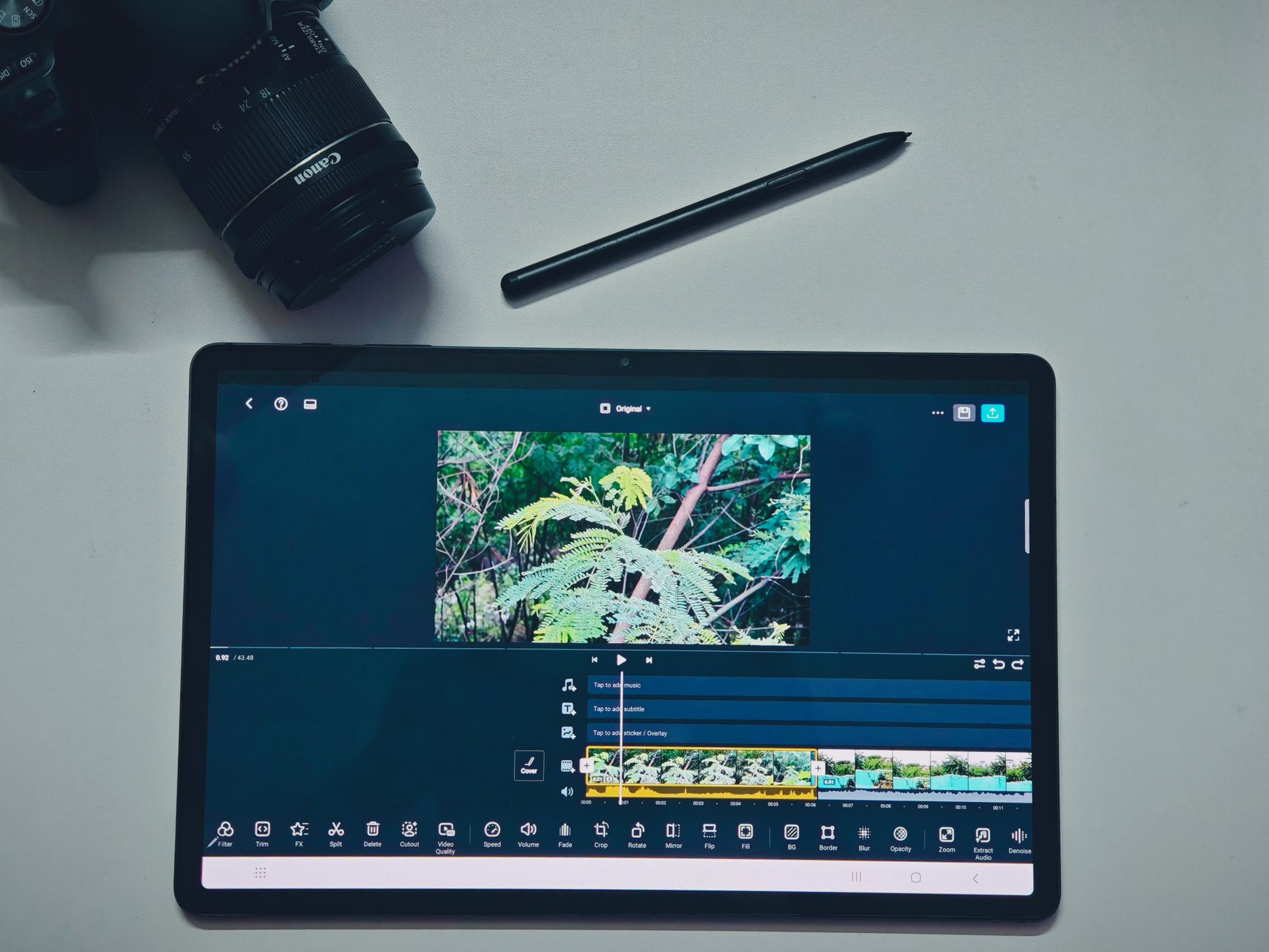
To keep viewers from scrolling past your content, you must master faceless short-form video openings from the very first frame. When you do not rely on facial expressions, personal charm, or speaking directly to a camera, your editing choices, text timing, and audio cues must carry the entire weight of the hook. Without a human face to anchor attention, audiences decide within a fraction of a second whether your video deserves their time, making the initial visual and auditory impact the ultimate deciding factor in your overall reach and algorithmic distribution.
This comprehensive guide breaks down a practical framework for structuring your initial seconds, maintaining momentum, and building reliable viewing habits. By focusing on intentional visual pacing, clear information design, and precise timing, you can dramatically improve your average watch time without ever showing your face on camera. Whether you produce educational content, niche tutorials, aesthetic lifestyle loops, or financial breakdowns, the mechanics of holding attention remain grounded in human psychology and precise digital execution.
The Anatomy of a Three-Second Hook
When planning how to structure faceless short video openings, you need to combine three distinct elements simultaneously: visual movement, text clarity, and an auditory trigger. If any one of these elements is missing, the viewer's brain registers a lull, and they swipe away to the next piece of content in their feed. Understanding the exact cognitive load of a mobile user helps you design hooks that bypass conscious hesitation and trigger immediate curiosity.
Many creators make the classic mistake of using a slow fade-in, a corporate logo animation, or a generic title card. Instead, your video must start mid-action or present an immediate unresolved question. This creates what psychologists call a cognitive itch—a gap in information that the viewer feels compelled to resolve by watching further. Your opening must promise value and deliver a sensory jolt that interrupts the mindless scrolling rhythm of the platform.
Consider this quick breakdown of a high-retention opening second:
- Frame 0.0 to 0.5: A sudden shift in visual perspective, such as a fast zoom-in on an object, a rapid screen recording transition, or a sudden change in lighting contrast.
- Frame 0.5 to 1.5: A short, high-contrast headline appears on screen while a sharp sound effect plays to reinforce the visual anchor.
- Frame 1.5 to 3.0: The voiceover or background text delivers the core premise, unique angle, or controversial statement of the video without any unnecessary preamble.
By keeping viewers past the first three seconds, you clear the highest hurdle in short-form distribution algorithms. Platforms track this metric closely; when a high percentage of viewers stick around past the initial threshold, the algorithm pushes the content out to a broader audience segment.
Furthermore, structuring your hook requires looking at the psychological barriers of the viewer. People open apps like TikTok, Instagram Reels, or YouTube Shorts when they are bored, seeking quick entertainment, or hunting for a rapid solution to a specific problem. If your opening looks like a lecture or a slow documentary, you lose them instantly. Your hook must treat the viewer's attention as a scarce resource that you must earn continuously through high-frequency visual stimulation and intellectual intrigue.
To master this, practice writing ten different hooks for every single video idea you generate. Experiment with negative framing, such as pointing out a mistake they are currently making, alongside positive framing, such as revealing an obscure shortcut. Test these variations across different uploads to see which psychological trigger yields the strongest retention curves in your analytics dashboard.

Visual Pacing and B-Roll Selection
Visual variety is your primary tool for keeping viewers engaged when you lack a talking head. However, random B-roll clips can actually hurt your retention if they do not match the cognitive rhythm of your script. Every single visual change must reinforce the narrative arc and prevent the viewer's eyes from getting comfortable in a static frame.
When applying visual pacing techniques for short form video, focus heavily on scale changes and motion direction. If your first clip pans left, your second clip should cut or pan in a contrasting direction to reset the viewer's visual focus. This subtle editing trick keeps the brain alert, preventing the visual fatigue that sets in when watching monotonous or static footage.
Choosing the Right Footage for Your Intro
Every clip in your opening sequence must serve an immediate narrative purpose. Ask yourself whether the visual supports the spoken or written statement on screen. If you are explaining a complex digital process, use a close-up macro shot or a clean digital interface rather than a distant, abstract landscape. Authenticity and relevance matter immensely, even in faceless formats.
Furthermore, pay close attention to color and lighting contrast. Dark, muddy openings fail miserably on mobile devices because viewers often look at screens in well-lit environments, outdoors, or under harsh office lighting. Boost your contrast slightly in the first two seconds, ensure your primary subjects occupy the center third of the vertical frame, and verify that your text layers never blend into the background elements.
Another crucial aspect of visual pacing is the elimination of "dead frames." A dead frame occurs when a clip lingers for half a second too long after the point of interest has been communicated. Trim your clips tightly to the beat of your audio or the cadence of your text transitions. Professional editors know that rhythm is feel-based; if a video feels sluggish in the timeline, it will feel glacial to a viewer scrolling through a high-speed feed.
When selecting B-roll libraries, avoid generic stock footage that looks overly polished or staged. Audiences have developed a collective radar for fake, overly curated stock media and will scroll away instantly. Opt for raw screen recordings, authentic work environments, hands interacting with real objects, or clean 3D motion graphics that feel native to modern digital culture.
Audio Cues and Text Timing
Many users watch short-form videos with the sound completely off, especially in public spaces, transit systems, or quiet offices. This makes text timing strategies for short form creators critical to success. However, audio remains a powerful subconscious driver when sound is enabled, meaning you must design your videos to satisfy both muted and unmuted viewers simultaneously.
To capture attention effectively, pair your visual cuts with subtle, non-intrusive sound design. A soft digital click, a low cinematic bass drop, a camera shutter click, or a subtle paper rustle can signal to the brain that something important is happening on screen. Always synchronize these audio cues with the exact millisecond your primary headline appears to create a multi-sensory impact.
When building curiosity gaps in faceless videos through text, follow these foundational rules:
- Keep individual lines under six words so they can be read effortlessly in a single glance without forcing the eye to track back and forth.
- Use contrasting font colors for emphasis words rather than coloring the entire sentence, drawing the eye directly to the most emotionally charged terms.
- Ensure your text disappears or animates out right as the spoken audio moves to the next thought, forcing viewers to stay focused on the evolving frame.
- Position your text away from the native platform UI elements, such as like buttons, comments, captions, and profile handles, to ensure complete legibility.
- Animate text in sync with your voiceover cadence so words appear precisely as they are spoken, matching natural human reading and listening speeds.
If you struggle to organize your opening scripts before editing, try using a structured planning approach or a modular writing system to map out your core arguments logically before translating them into visual storyboards. Clear writing always precedes clean editing; if your script is bloated, your video editing will inevitably suffer from pacing issues.
Sound mixing is equally vital. Ensure your background music sits comfortably beneath your voiceover or text pacing beats, never overpowering the primary message. If you use automated caption generators, always double-check the punctuation and line breaks. Automated tools often split words awkwardly across lines, breaking the reading flow and causing immediate reader drop-off.
A Step-by-Step Practical Example
To see how these principles work together in a real-world production workflow, let's examine a 15-second educational video about digital organization and productivity.
The Wrong Way: The video starts with a slow, wide-angle pan across a messy computer desktop while a calm, uninflected voiceover says, "Today we are going to talk about file management and how to keep your workspace clean." (Result: Immediate drop-off as viewers assume it is boring, slow, and irrelevant to their immediate desires.)
The Right Way: The video starts with a violent, highly satisfying screen recording of a chaotic desktop folder instantly snapping into neat, color-coded categories in 0.3 seconds. Simultaneously, a crisp digital click plays, and a bold, high-contrast text overlay reads: Stop losing your files. The voiceover cuts in immediately with high energy: "Your messy desktop is costing you two hours every single week."
This optimized approach instantly demonstrates value, utilizes rapid visual movement, anchors the viewer with clear typography, and sets up a clear, painful problem to be solved in the remaining seconds of the video. The viewer is no longer wondering if the video is worth watching; they are invested in seeing the exact method used to achieve the clean result shown in the first frame.
When executing this workflow yourself, record your voiceover with extra vocal energy, then strip out all the breaths and pauses during editing. Short-form video requires a compressed, highly energetic delivery style that feels larger than life. Combine this tight audio track with your rapid-fire B-roll cuts, and you have a formula that consistently outperforms traditional, slow-paced video creation methods.
Common Mistakes to Avoid
Even experienced creators sometimes fall into repetitive patterns that destroy viewer retention over time. Watch out for these frequent pitfalls during your editing and scripting process:
- Long Introductions: Spending more than two seconds on branding, channel intros, logos, or welcoming phrases. Cut straight to the core message without hesitation.
- Monotone Delivery: Using a flat AI voiceover or a human voice with zero inflection during the hook. Energy and emotional pitch must peak at the very start.
- Cluttered Screens: Putting too much text, multiple graphics, and busy background footage all on screen at the exact same time. Simplicity always wins.
- Misleading Hooks: Using sensational or clickbait claims that have nothing to do with the actual content body. This ruins long-term audience trust and destroys completion rates.
- Ignoring Mobile Aspect Ratios: Designing videos in horizontal formats or placing critical visual elements too close to the top and bottom edges where platform UI elements obscure them.
Remember that automated or AI-generated scripts and outlines require rigorous human review and refinement. Always test your openings against your own viewing habits before finalizing your export. Ask yourself honestly: If this video appeared in your feed right now, would you stop scrolling within the first second?
Quick Retention Checklist
Run through this quick, actionable checklist before you publish your next faceless short-form video to ensure optimal performance:
- [ ] Does the first frame feature immediate motion, a scale change, or high contrast lighting?
- [ ] Is the main headline short enough to be read in less than one second?
- [ ] Does a deliberate audio cue coincide with the very first text appearance?
- [ ] Have you eliminated all introductory filler words like "Hey guys," "Welcome back," or "Today we are going to look at"?
- [ ] Does the visual transition speed pick up right as the second sentence begins to maintain momentum?
- [ ] Are your text overlays positioned safely away from native platform buttons and captions?
- [ ] Is the volume of your background music properly balanced below your primary voiceover?
If you need help refining your titles or meta descriptions before distribution, take time to sharpen your packaging strategy. Strong packaging paired with a high-retention opening creates a powerful compounding effect on your channel growth.
Frequently Asked Questions
How long should a faceless video hook be?
Your hook should occupy the first one to three seconds of the video. If the viewer is not hooked and engaged by second three, your retention metrics will drop sharply, signaling to the algorithm that the content is not performing well.
Do I need expensive editing software to create good hooks?
No. Most modern mobile and desktop editing tools allow you to keyframe zooms, adjust text timing, and insert simple audio triggers. Consistency, creative timing, and narrative clarity matter far more than flashy transition presets.
How do I write effective hooks without showing my face?
Focus on bold statements, unexpected visual demonstrations, screen interactions, aesthetic transformations, or answering burning questions immediately within the first frame of the video.
Why do viewers leave even when my hook is good?
If your retention drops after the hook, it usually means the middle of the video fails to deliver on the promise made in the opening seconds. Ensure your pacing remains tight, your information is concise, and your editing momentum persists throughout the entire clip.
Can I use automated voiceovers for faceless videos?
Yes, many creators successfully use text-to-speech or AI voices. However, you must select natural-sounding models, adjust the speed slightly for punchiness, and ensure the delivery matches the emotional tone of your visual hook.
Conclusion
Mastering faceless short-form video openings requires discipline, constant experimentation, and careful attention to visual and auditory pacing. By replacing generic introductions with high-contrast visuals, precise text timing, and clear audio cues, you can consistently guide viewers past the critical first three seconds. Focus on continuous improvement, test different structural variations, and let your analytics guide your future edits as you build a sustainable, high-retention content strategy.
Found this guide useful? Support more free creator tools.
Buy Me a Coffee
Comments
Post a Comment