

Why a Monthly Content Workflow Matters
Consistency is the backbone of audience growth. When you lack a system, creating content often feels like an uphill battle where you scramble for ideas at the eleventh hour. A monthly content workflow turns scattered ideas into a predictable rhythm, so you never run out of material or feel rushed before a deadline. It also frees mental space, letting you focus on quality rather than logistics, which is vital whether you are looking for how to create a monthly content workflow for beginners or managing a growing media channel.
For solo creators, the constant pressure of ideation, creation, editing, and publishing can quickly lead to burnout. Without a structured roadmap, every single post requires a fresh burst of willpower to conceptualize and execute. By establishing a reliable framework, you remove the daily friction of deciding what to make next. The psychological benefit of having your tasks mapped out weeks in advance cannot be overstated. You move from a reactive state—where you panic about what to post tomorrow—to a proactive state where your content pipeline runs smoothly in the background.
Furthermore, an organized approach drastically improves the quality of your output. When you give yourself adequate time to research, draft, and refine your ideas, the final product is inherently more valuable to your audience. This foundational step-by-step monthly content workflow guide will walk you through building a resilient system that adapts to your unique lifestyle, schedule, and creative energy levels, ensuring that building a monthly content workflow with limited time remains entirely achievable.

Step 1: Set Your Core Objectives
Before you draft a calendar, ask yourself what you want to achieve each month. Without clear targets, your content can drift aimlessly, resulting in low engagement and wasted effort. Typical goals include:
- Increase subscriber count by a specific percentage
- Publish a predetermined number of pieces of content across your chosen platforms
- Improve core engagement metrics such as comments, shares, and watch time
- Launch a new series, digital product, or service offering
Write these objectives on a single sheet of paper or place them at the top of your planning document. They will guide every decision in the workflow, helping you filter out distracting ideas that do not serve your broader vision. When evaluating whether an idea deserves a slot on your calendar, cross-reference it with these monthly objectives to ensure alignment.
Additionally, make sure your objectives are realistic. If you are operating as a solo creator with limited hours outside of a day job, trying to publish daily across four platforms is a recipe for exhaustion. Instead, anchor your goals to your actual capacity, gradually scaling up as your efficiency improves through batching and system optimization.
Step 2: Define Your Content Pillars
Content pillars are the core thematic buckets that support your overall objectives and brand identity. They prevent you from straying into random topics that confuse your audience. For example, a fitness creator might use the following pillars:
- Workout tutorials and exercise demonstrations
- Nutrition tips, meal prepping, and dietary guidance
- Client success stories, testimonials, and transformation highlights
- Behind‑the‑scenes vlogs showcasing day-to-day routines
Limit your pillars to 3–5 to keep the workflow manageable and focused. When your audience visits your profile or channel, they should immediately understand what value you provide. Pillars act as boundaries that make brainstorming much faster because you always know which categories you need to fill during your planning sessions.
When selecting your pillars, consider what your audience actually needs versus what you enjoy creating. The sweet spot lies where your genuine expertise intersects with high audience demand. Document these pillars clearly so that whenever you sit down to plan, you can simply pull ideas from these predefined categories.
Step 3: Map Out a Monthly Template
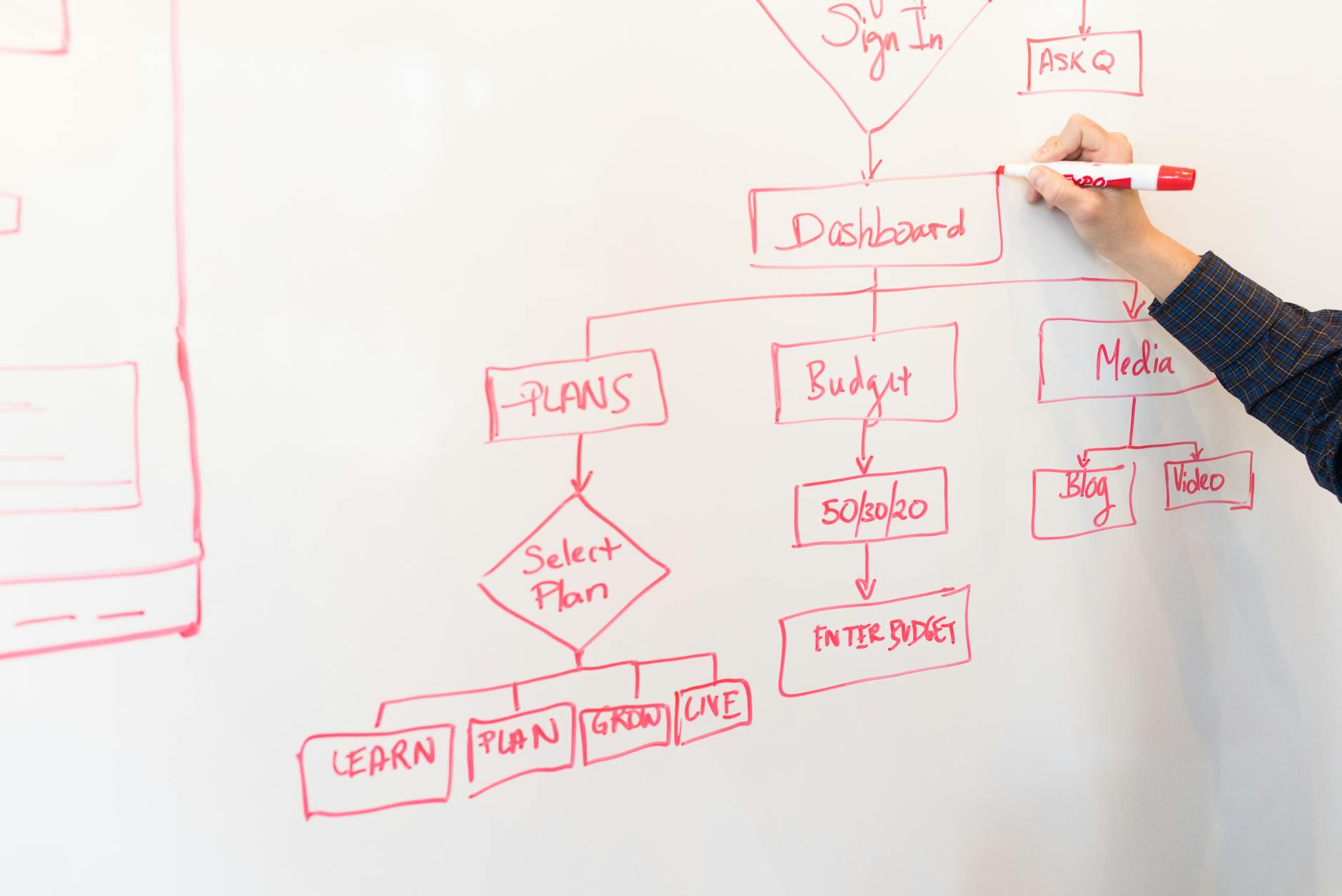
Create a reusable template that captures all the vital metadata for every piece of content you produce. A robust monthly content workflow template for solo creators should capture:
- Platform destination (e.g., YouTube, TikTok, Blog, Newsletter)
- Content type (long-form video, short-form reel, in-depth article, audio podcast)
- Topic or working title
- Core message or takeaway
- Call to action (CTA) for the viewer or reader
- Deadlines (ideation deadline, production deadline, final edit deadline, publish deadline)
- Current status (idea, drafted, editing, scheduled, published)
Store this template in a Google Sheet, Notion, Airtable, or a simple spreadsheet software of your choice. This digital sheet becomes the single source of truth for the entire month. By centralizing your operations, you eliminate the risk of notes getting lost across various notebooks, sticky notes, and phone apps.
Customize your template to suit your specific workflow stages. If your content requires graphic design, add a column for thumbnail or imagery creation. If you collaborate with editors or virtual assistants, include an assignee column to maintain clear accountability at every step of the process.
Step 4: Ideation Sprint
Set aside 2–3 hours at the very start of the month for a focused brainstorming session. Instead of trying to think of ideas in random bursts throughout the month, dedicate uninterrupted time to generate a surplus of concepts. Use the Brainstorming Grid technique: write each of your content pillars across the top of a whiteboard or digital document, and list potential angles or subtopics down the side, then fill in the intersections.
Pick the strongest ideas that directly align with your monthly objectives. Do not filter yourself too harshly during the first thirty minutes of the session; write down every idea that comes to mind, even the unconventional ones. Once you have a large pool of options, narrow them down by evaluating their search potential, audience interest, and production feasibility.
The result of this sprint should be a prioritized list of 8–12 solid topics ready for the next phase. Having these topics banked in advance means you will never stare at a blank screen wondering what to create on a Tuesday morning.
Step 5: Production Scheduling
Break the month into distinct weekly blocks to distribute your workload evenly. Assign one primary pillar per week and slot your content types accordingly to maintain structural variety. For example, a structured monthly plan might look like this:
- Week 1 – Workout tutorials (YouTube video + accompanying TikTok clips)
- Week 2 – Nutrition tips (Comprehensive blog post + Instagram carousel)
- Week 3 – Client stories (Podcast episode + LinkedIn article summary)
- Week 4 – Behind‑the‑scenes content (Live stream session + community newsletter)
Use your master spreadsheet to assign strict production deadlines for each phase: ideation completion, filming or drafting, editing, and final publishing. Crucially, build a 5‑day buffer before your intended publish date. This buffer helps catch last‑minute technical issues, rendering errors, or life emergencies without disrupting your public-facing schedule.
Step 6: Batch Creation
Context switching is one of the biggest productivity killers for modern creators. Moving constantly from writing an outline to recording video, then answering emails, and then editing audio drains your mental energy. Batching production solves this by grouping similar tasks together into dedicated time blocks.
For video creators, film all four scripts on a single designated filming day, changing outfits or setups between takes if necessary. For writers, draft all your monthly blog posts in one intensive writing block. Utilizing focused time blocking allows you to get into a state of creative flow where your output speed and quality skyrocket. Treat these production blocks as non-negotiable appointments on your calendar.
Step 7: Quality Check and Repurposing
After each piece of content is produced, run a quick quality checklist before sending it to the publishing queue:
- Does the piece directly serve your stated monthly objective?
- Is the core message immediately clear to a first-time viewer?
- Is the call to action compelling and easy to follow?
- Has the text been thoroughly proofread and edited for clarity?
- Are SEO tags, descriptions, and primary keywords naturally integrated?
Once verified, plan your repurposing strategy. A single long-form piece of content should never live in isolation. A comprehensive YouTube video can easily be transformed into a 30‑second TikTok clip, an engaging Instagram Reel, a Twitter thread, and a summary section in your weekly email newsletter. Repurposing multiplies your reach while requiring only a fraction of the original effort.
Step 8: Publish and Promote
Schedule your finished posts using platform-native schedulers or reliable third-party management tools such as Buffer or Later. Automation is your friend when it comes to maintaining consistency across multiple channels. However, scheduling is only half the battle; you also need a proactive promotion plan.
Create short teaser posts for social media, cross-promote across complementary networks, and notify your email subscribers when new core content goes live. Mark the exact publish date in your spreadsheet and tick the status indicator as "Published." Monitoring the initial launch window ensures you can respond to early comments and spark community engagement.
Step 9: Review and Iterate
At the end of the month, take time to analyze your performance against the objectives you set in Step 1. Look at analytics to see which topics resonated most, which formats drove the highest engagement, and where drop-off occurred. Note what worked well, what fell flat, and what unexpected opportunities arose.
Adjust your strategy for the upcoming month based on this hard data rather than guesswork. Keep a simple monthly review log inside your spreadsheet to track long-term trends over quarters and years, allowing your workflow to evolve alongside your audience.
Real‑World Example: A Solo YouTuber
Meet Alex, a solo creator who runs a cooking channel and recipe blog. Before implementing a structured system, Alex felt constantly overwhelmed by erratic uploads and unpredictable viewership. Here is how Alex transformed his process using a repeatable monthly content workflow:
- Objectives: Achieve 10% subscriber growth and consistently publish 4 main videos per month.
- Pillars: Recipe demonstrations, kitchen hacks, subscriber Q&A sessions, and behind-the-scenes vlogs.
- Template: A centralized Google Sheet with columns for platform, content type, working title, CTA, and stage deadlines.
- Ideation: A dedicated 2-hour brainstorming sprint on the first day of the month, resulting in 8 strong video topics.
- Scheduling: Week 1 is dedicated to recipe demos, Week 2 to kitchen hacks, Week 3 to Q&A, and Week 4 to vlogs.
- Batching: Filming all four monthly videos on the 5th of the month in one intensive recording session.
- Quality Check: Running every video through a strict 5-point quality checklist before sending files to the editor.
- Publishing: Scheduling posts to go live every Tuesday, accompanied by automated social media promos.
- Review: Discovering that kitchen hack videos generated a 15% higher watch time, prompting Alex to include more hack-based content in the next planning cycle.
As a result of this routine, Alex maintains absolute consistency, dramatically reduces creative stress, and enjoys steady, predictable channel growth.
Checklist for Your Monthly Workflow
- Establish clear, measurable monthly objectives.
- Define 3 to 5 distinct content pillars to guide your topics.
- Create a reusable, centralized spreadsheet template.
- Allocate 2 to 3 uninterrupted hours for a monthly ideation sprint.
- Schedule weekly blocks dedicated to specific content pillars.
- Batch your production phases to minimize costly context switching.
- Run a comprehensive quality check before finalizing any asset.
- Plan a robust cross-promotion strategy for every piece of content.
- Review performance metrics and analytics at the end of the month.
- Iterate and refine your template for the upcoming planning cycle.
Common Mistakes to Avoid
- Over‑planning: Trying to map out every single minute detail of every post can lead to decision paralysis and rigidity.
- Ignoring objectives: Creating content purely for the sake of posting without aligning with core goals wastes valuable time.
- Skipping quality checks: Rushing content out the door without proofreading or testing can damage your brand credibility.
- Neglecting repurposing: Treating each platform as an isolated silo misses out on easy audience expansion opportunities.
- Not reviewing metrics: Operating without looking at data means you continue repeating ineffective strategies.
FAQ
1. How many posts should I plan per month?
It depends entirely on your available capacity and platform requirements. Start with a manageable baseline of 4–6 high‑quality pieces per month and scale up only when your workflow feels comfortable and sustainable.
2. Can I use a single spreadsheet for all platforms?
Yes. In fact, centralizing everything in one spreadsheet is recommended. Include a column designating the platform and use filter views to inspect individual channels whenever necessary.
3. What if I miss a production deadline?
Do not panic. Simply move the piece of content to the next available buffer slot and adjust your calendar accordingly. The primary goal of the workflow is visibility and adaptability, not rigid perfection.
4. How do I keep my workflow flexible for trending topics?
Always leave a “buffer week” or open slots in your monthly template. This allows you to jump on timely industry trends or urgent projects without derailing your core publishing schedule.
Conclusion
Building a monthly content workflow is the most effective practical step you can take to stay organized, eliminate creative burnout, and deliver consistent value to your growing audience. By setting clear objectives, defining focused content pillars, batching your production tasks, and reviewing performance metrics regularly, you establish a repeatable system that scales right alongside your ambitions. Start today by setting up a simple spreadsheet template, map out your first few topics, and watch your content output transform into a reliable engine for long-term digital success.
Found this guide useful? Support more free creator tools.
Buy Me a Coffee
Comments
Post a Comment